



CLI Tools & Command Line Repositories
Explore the most popular CLI tools, terminal utilities, and open source command line repositories. From developer workflows and automation helpers to system tools, productivity utilities, and scripting-focused projects, discover which CLI repositories are gaining traction on GitHub.
Trending DevTools Repositories
just now- #1King of the HillDevToolsJavaScript
RepoRank Score
32
#1King of the HillDevToolsJavaScriptopen-gsd/gsd-coreopen-gsdgsd-core
DeveloperColin Johnson
Git. Ship. Done - Core
6,611GitHub stars0boosts (24h)+77stars (24h)RepoRank Score
32
- #2DevToolsTypeScript
RepoRank Score
24
#2DevToolsTypeScripthyperdxio/hyperdxhyperdxiohyperdx
DeveloperHyperdxioResolve production issues, fast. An open source observability platform unifying session replays, logs, metrics, traces and errors powered by ClickHouse and OpenTelemetry.
9,670GitHub stars0boosts (24h)+3stars (24h)RepoRank Score
24
- #3DevToolsTypeScript
RepoRank Score
24
#3DevToolsTypeScript47ng/nuqs47ngnuqs
Developer47ngType-safe search params state manager for React frameworks - Like useState, but stored in the URL query string.
10,675GitHub stars0boosts (24h)+0stars (24h)RepoRank Score
24
- #4DevToolsPython
RepoRank Score
23
#4DevToolsPythonmicrosoft/Webwrightmicrosoftwebwright
DeveloperMicrosoftA simple SWE style browser agent framework that achieves SOTA results on long horizon web tasks.
5,805GitHub stars0boosts (24h)+6stars (24h)RepoRank Score
23
- #5DevToolsTypeScript
RepoRank Score
23
#5DevToolsTypeScriptln-dev7/square-uiln-dev7square-ui
DeveloperZerostaticthemesCollection of beautifully crafted open-source layouts UI built with shadcn/ui.
5,936GitHub stars0boosts (24h)+2stars (24h)RepoRank Score
23
- #6DevToolsR
RepoRank Score
20
#6DevToolsRr-lib/devtoolsr-libdevtools
Developerr-libTools to make an R developer's life easier
2,514GitHub stars0boosts (24h)+0stars (24h)RepoRank Score
20
- #7DevToolsRust
RepoRank Score
20
#7DevToolsRust0xMassi/webclaw0xmassiwebclaw
DeveloperValerio MassimianiThe fastest web scraper for AI agents.
1,733GitHub stars0boosts (24h)+4stars (24h)RepoRank Score
20
- #8DevToolsTypeScript
RepoRank Score
18
#8DevToolsTypeScriptgsd-pigsd-pi
DeveloperColin JohnsonA powerful meta-prompting, context engineering and spec-driven development system that enables agents to work for long periods of time autonomously without losing track of the big picture
888GitHub stars0boosts (24h)+4stars (24h)RepoRank Score
18
- #9DevToolsTypeScript
RepoRank Score
16
#9DevToolsTypeScriptMarsX-dev/devhuntmarsx-devdevhunt
DeveloperMarsx DevA launching platform for dev tools, built by developers. Open-source and collaborative, we use GitHub pull requests for listings and user logins for genuine voting. Join us at DevHunt to showcase your innovations and empower developer tools across the web! Led by https://twitter.com/johnrushx .
420GitHub stars0boosts (24h)+0stars (24h)RepoRank Score
16
Recent blogs

Bull Markets Reward Attention. Weak Markets Reward Discovery.
Read the latest insights from the RepoRank editorial team.

The New Internet Economy For Builders
Read the latest insights from the RepoRank editorial team.
Stay Ahead
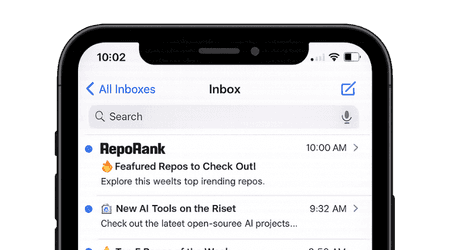
Get weekly CLI Tools repos in your inbox
Trending open-source projects, delivered weekly.
Explore Modern CLI Tools
CLI tools remain a core part of the developer experience, helping teams automate workflows, manage systems, speed up repeated tasks, and work efficiently from the terminal. From lightweight utilities to sophisticated developer platforms, command line tooling continues to shape how modern engineers build and ship software.
The open source CLI ecosystem includes terminal utilities, scripting tools, developer workflow helpers, automation projects, release tooling, and broader command line applications. RepoRank helps surface the repositories that are earning real attention and momentum.
What You Will Find Here
- Terminal utilities and command line productivity tools
- Developer workflow, scripting, and automation projects
- System tools, release tooling, and CLI app foundations
- Emerging CLI repositories gaining traction
This page helps you discover the CLI tools developers are actively using, evaluating, and watching across modern terminal workflows.
Why RepoRank Is Different
RepoRank focuses on real GitHub growth signals, helping you identify CLI tools that are active, relevant, and gaining adoption across developer workflows and terminal environments.
- Live GitHub star growth and activity tracking
- A mix of established terminal tools and rising projects
- A discovery layer built for practical developer productivity
Built for Developers, Power Users, and Engineering Teams
Whether you are improving terminal workflows, automating repeated tasks, or evaluating command line utilities for development and operations, this page helps you stay close to the projects shaping modern CLI usage.
- Developers building and using terminal-first workflows
- Teams evaluating command line tools for automation and productivity
- Engineers tracking fast-moving open source CLI projects
Use this page to discover trending CLI repositories, compare tools, and stay current with the open source projects shaping modern command line development.
CLI Tools FAQ
What are CLI tools?
CLI tools are command line applications and terminal-based utilities used to automate tasks, manage workflows, interact with systems, and improve developer productivity.
What types of CLI projects are included here?
This page includes terminal utilities, scripting tools, automation helpers, developer workflow utilities, release tooling, and broader open source command line repositories.
How does RepoRank rank CLI repositories?
RepoRank uses real GitHub growth signals such as star growth, activity, and project momentum to surface CLI tools that are gaining traction.
Are these CLI tools open source?
Yes, all featured repositories are open source projects sourced directly from GitHub.
Why should I track trending CLI tools?
Tracking trending CLI tools helps you discover new productivity workflows, improve automation, and evaluate the command line projects developers are actively adopting.
Are CLI tools only for advanced developers?
No. While many CLI tools are popular with experienced developers, plenty are designed to simplify workflows for general engineering teams, automation needs, and day-to-day productivity tasks.
What is the difference between a CLI tool and a terminal utility?
The terms are often used interchangeably, but terminal utility can refer to a smaller focused command line helper, while CLI tool can also describe larger command-driven applications and developer platforms.
How do I choose the right CLI tool?
Start with the workflow you want to improve. Consider ease of use, documentation, platform support, installation model, automation fit, maintainability, and how well the tool integrates into your existing terminal environment.